Supported E-Bikes
Bike IQ connects to e-bikes from TQ, Specialized Turbo, BESV, Mahle and Fazua: the TQ HPR40, HPR50 and HPR60 drives, the Specialized Turbo Levo, Kenevo, Vado, Como and Creo, BESV e-bikes, the Mahle X20, X30, X35 and M40 drives, and the Fazua Ride 60 and Ride 50.
A connected e-bike is also your cadence and speed sensor and, on every drive except the Mahle X35, your power meter. Its assist mode and battery are tiles for ride pages you build with Bike IQ Pro. The Ride Report's E-Bike Power section, your watts beside the motor's, is free.
Setup guides: Specialized Turbo, TQ motors, Mahle drives and BESV.
The Full List
Every e-bike maker has its own way of talking to a phone, so each one is supported on its own. These are the e-bikes Bike IQ reads today.
| E-bike | Assist modes | What you get |
|---|---|---|
| TQ HPR40, HPR50, HPR60 | Off, Eco, Mid, High, Walk | Motor power, Your power, Cadence, Speed, Assist mode, Battery |
| Specialized Turbo Levo, Kenevo, Vado, Como, Creo | Off, Eco, Trail or Sport, Turbo, Smart | Motor power, Your power, Cadence, Speed, Assist mode, Battery |
| BESV e-bikes that connect to the BESV Smart app | Off, Eco, Power, Smart | Your power, Cadence, Speed, Assist mode, Battery |
| Mahle X20, X30, M40 | Off, Level 1 and up, Walk | Motor power, Your power, Cadence, Speed, Assist mode, Battery |
| Mahle X35 | Off, Level 1 and up, Walk | Cadence, Speed, Assist mode, Battery |
| Fazua Ride 60, Ride 50 | Off, Breeze, River, Rocket | Motor power, Your power, Cadence, Speed, Assist mode, Battery |
Assist modes appear by your bike's own names. On a Specialized, the middle mode is Trail on a mountain bike and Sport on a road or city bike. A Mahle numbers its assist levels, so they show as Level 1, Level 2 and so on, up to as many as your bike has.
A BESV bike reports its battery in steps, like the bars on its display. Bike IQ only reads from the bike: it never changes the assist mode, the lights or any other setting.
Mahle Bikes
Mahle drives are on many lightweight road and gravel e-bikes. The X20 is on bikes such as the Orbea Gain, the BMC Roadmachine AMP and the Wilier Filante Hybrid. The X35, Mahle's earlier drive, is on bikes such as the Ribble Endurance SL e, the Cannondale SuperSix EVO Neo, the Bianchi Aria E-Road and the alloy Orbea Gain.
The X30 is a newer hub drive, and the M40 is Mahle's mountain bike motor. Makers change drives between model years, so check your bike's spec sheet for which one you have.
An X20, X30 or M40 bike gives you everything in the table: the motor's power, your own power, cadence, speed, the assist level and the battery.
An X35 does not send any power readings, neither yours nor the motor's, so on an X35 bike Bike IQ shows cadence, speed, the assist level and the battery. Pair a power meter as well if you want your watts on an X35.
Fazua Bikes
The Fazua Ride 60 is on lightweight mountain bikes such as the Santa Cruz Heckler SL, the Pivot Shuttle SL and the Lapierre e-Zesty. Bike IQ reads it and the earlier Ride 50: the motor's power, your own power, cadence, speed, the assist mode by Fazua's own names (Off, Breeze, River and Rocket) and the battery.
A Fazua talks to one Bluetooth device at a time. Close the Fazua app before you connect, and if a bike computer is paired to the bike over Bluetooth, disconnect it. The first time you connect a Ride 60, your iPhone asks for the bike's pairing code.
What You Get on a Ride
- No other sensors needed. The bike's own power, cadence and speed readings feed the ride, the way a power meter and a speed sensor would. A Mahle X35 is the exception for power: it sends cadence and speed only.
- E-Bike tiles. Motor Power, Total Power, Assist Mode, E-Bike Battery and Range Extender, to put on your own Smart Pages. Building a page is free; showing it on a ride needs Bike IQ Pro.
- Your power stays yours. On a TQ, a Specialized, a Fazua, or a Mahle X20, X30 or M40, the motor's watts are kept apart from yours. Only your watts go to Strava and Apple Health, and only your watts count toward your FTP. The Ride Report shows the two side by side, for the ride and for each lap.
- Strava knows it was an e-bike ride. Unless you chose an Activity Type for the bike in its Strava settings, the ride uploads as an E-Bike Ride, or an E-Mountain Bike Ride on a Specialized mountain bike.
- Exports carry the motor. FIT and CSV files add the motor's power and the assist mode every second, and a FIT file is marked as an e-bike ride. On a TQ or a Mahle with a range extender, the CSV also has the extender's charge beside the main battery. See Exporting Your Rides.
Range Extender
On a TQ or a Mahle with a range extender, the Range Extender tile shows the extender's charge, so you can put it beside E-Bike Battery and read both packs at a glance. A drained extender reads 0%. With no extender fitted, or on another e-bike, the tile stays faded rather than showing a zero.
You add it the way you add any tile, and it is in the E-Bike group. Building and previewing a Smart Page is free; showing one on the ride screen needs Bike IQ Pro.
Connecting Your E-Bike
- Close the maker's app on your phone, such as the Specialized app, the BESV Smart app, Mahle's My SmartBike app or the Fazua app. An e-bike talks to one app at a time.
- Switch the bike on.
- In Bike IQ, open your bike's settings and, under Sensors, tap the E-Bike row.
- Tap your bike when it appears under Nearby.
The e-bike is saved to that bike in your garage and reconnects by itself on your next ride. See Bluetooth Sensor Pairing for the full walkthrough.
When Bike IQ Offers to Connect
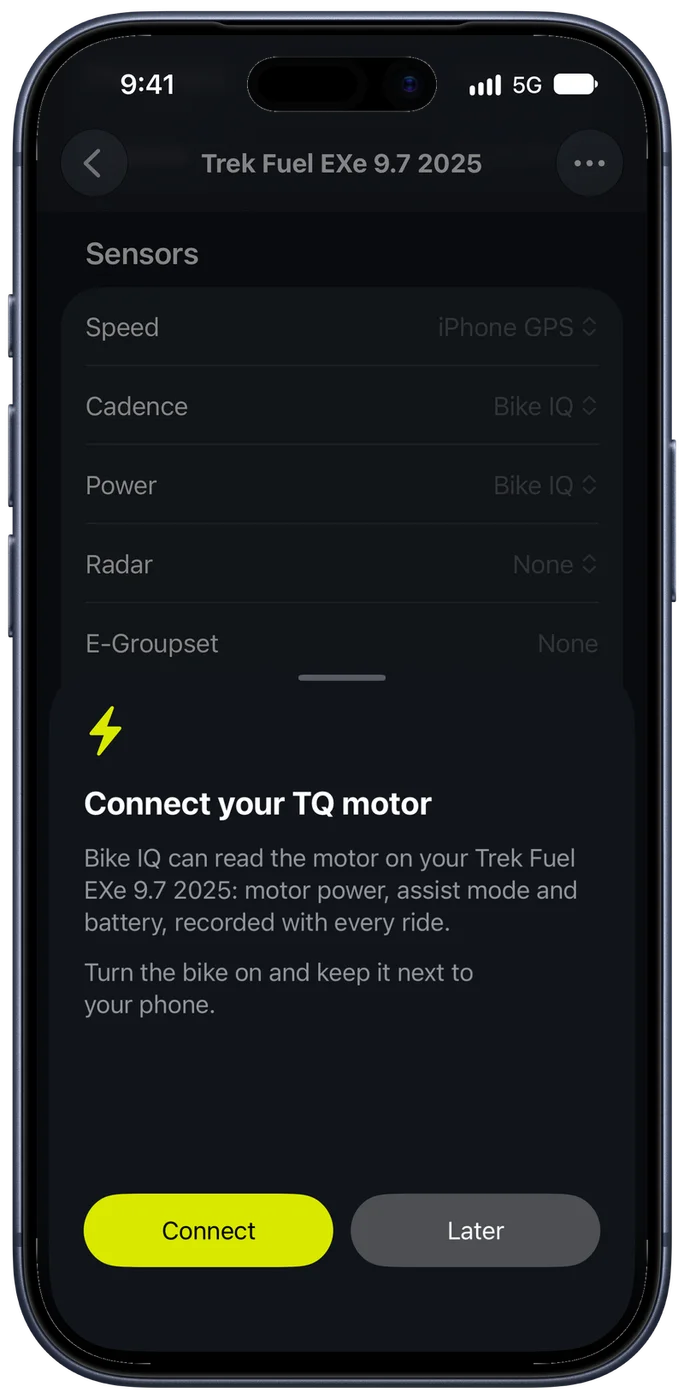
When you add an e-bike from the bike search and Bike IQ reads its motor, the last step offers to connect it, for example Connect your TQ motor. It goes by the motor rather than the name on the frame, so a Trek with a TQ motor gets the TQ offer.
Turn the bike on, keep it next to your phone and tap Connect to open the sensor list for that bike. Later closes the offer, and the E-Bike row stays in your bike's settings.
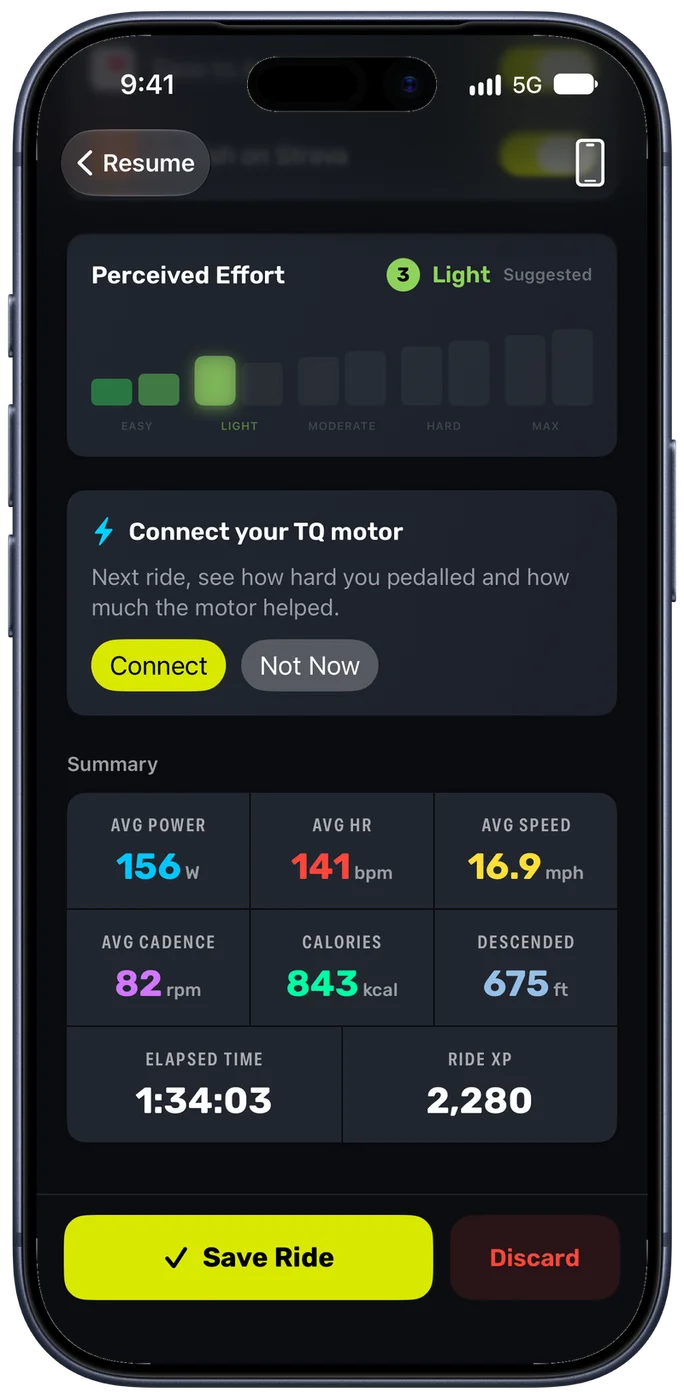
Ride an e-bike like this with its motor still not connected, and Ride Complete shows a card with the same title and the line Next ride, see how hard you pedalled and how much the motor helped. Tap Connect, or Not Now to hide it. Each bike gets the card once, so after that the E-Bike row is the way in.
A bike you enter yourself with Add Custom Bike gets no offer, because Bike IQ does not know its motor: use the steps above.
Before You Connect
- Specialized Turbo: A bike from 2022 on asks you to sign in to your Specialized account once, to unlock it.
- Fazua: Close the Fazua app and disconnect any bike computer paired to the bike over Bluetooth: a Fazua talks to one device at a time. The first time you connect a Ride 60, your iPhone asks for the bike's pairing code.
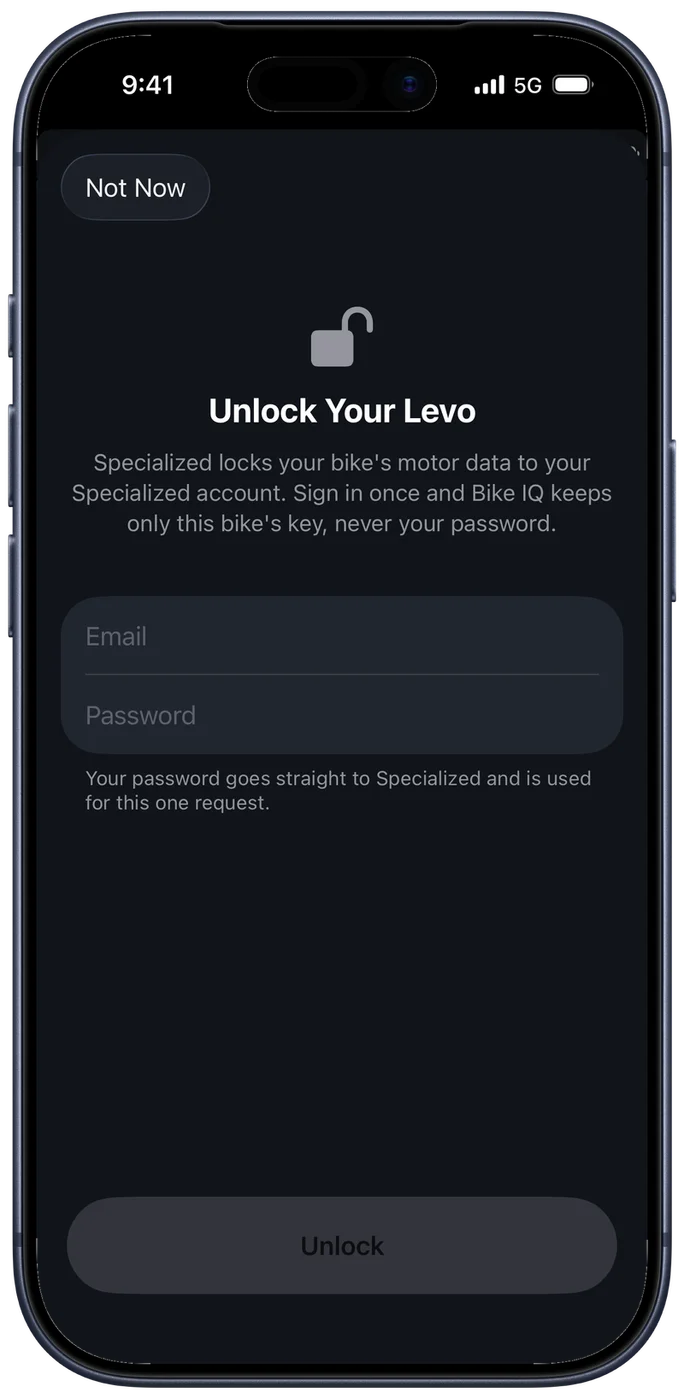
Bikes from 2022 on include the Levo 3 and Levo 4, the Creo 2 and the Vado SL 2. The bike needs to be registered in your Specialized account, and your iPhone needs an internet connection for that one sign-in. The steps are in Specialized Turbo Bikes.
Missing Your E-Bike?
New drives are added based on what riders use. When you add an e-bike from the bike search and Bike IQ does not read its motor yet, the last step says so and offers Ask for It. Tap it and a request opens already written, with your bike and its motor. Add anything you like and send it, or tap Close on the step to skip it.
You can also ask at any time: open the sensor list in Bike IQ and tap Can't find your sensor?. It sends us the brand and model along with the Bluetooth devices nearby, including your bike.
Related Guides
- Bluetooth Sensor Pairing: pairing an e-bike and every other sensor
- Compatible Sensors: everything else Bike IQ connects to
- Smart Pages: put Assist Mode, E-Bike Battery, Range Extender and Motor Power on your ride screen
- Ride Report: your power and the motor's, side by side