Phone Mounts: Choosing How to Put Your iPhone on Your Bike
Choose a mount that takes the phone with one hand, holds it low and close to the bars, and works with a slim case that lets the phone breathe. We ride with a Peak Design out-front mount for those reasons. Quad Lock and SP Connect are good choices too. On a bicycle a vibration dampener is optional. Apple warns that vibration from high-power motorcycle engines can damage the iPhone camera; a bicycle does not vibrate that way.
What to Look For
Every one of these is a system: a mount on the bike and a matching case or adapter on the phone. You choose the system once and keep its case on your phone every day. Six things decide it:
- How the phone goes on and off: dropped on, or twisted on
- Where the phone sits: low and close to the bars, or up on an arm
- Weight: the mount and the case together
- The case and heat: slim and open, never enclosed
- Vibration and the iPhone camera
- Portrait or landscape
Do not ride with a case that fully covers your iPhone. While you ride, the air flowing over the phone keeps it cool. Waterproof pouches, rain covers and cases that close over the screen block that airflow and trap the heat: the phone gets hot, dims its screen, drains its battery and can stop working until it cools down. Use a slim case with an open front. Learn more.
How the Phone Goes On and Off
You put the phone on and take it off at every ride, café stop and photo, often standing over the bike with one hand on the bars. That motion matters more than it looks.
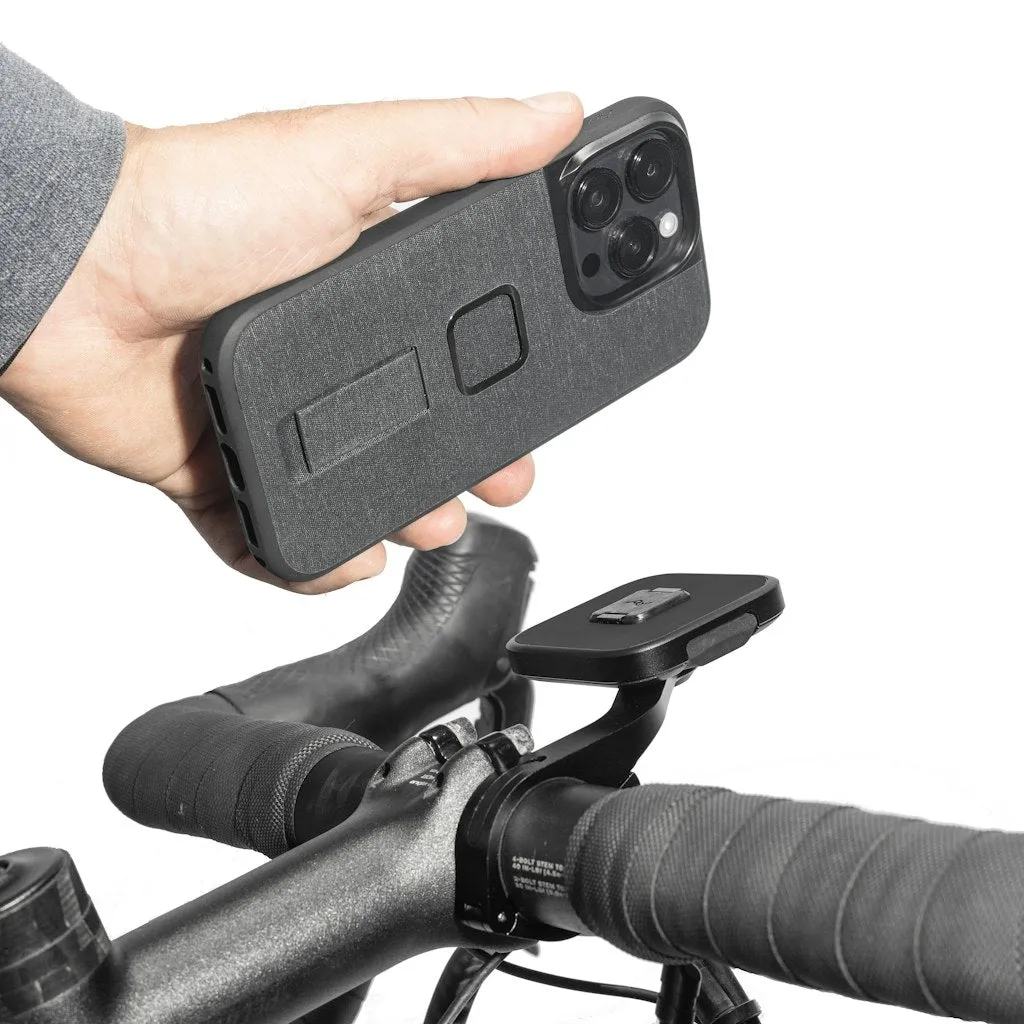
- Peak Design: drop it on. Set the phone on the mount and magnets pull it into place, then a mechanical lock holds it. No twist. Press the button to lift it off. Peak Design calls it a no-look, one-handed operation.
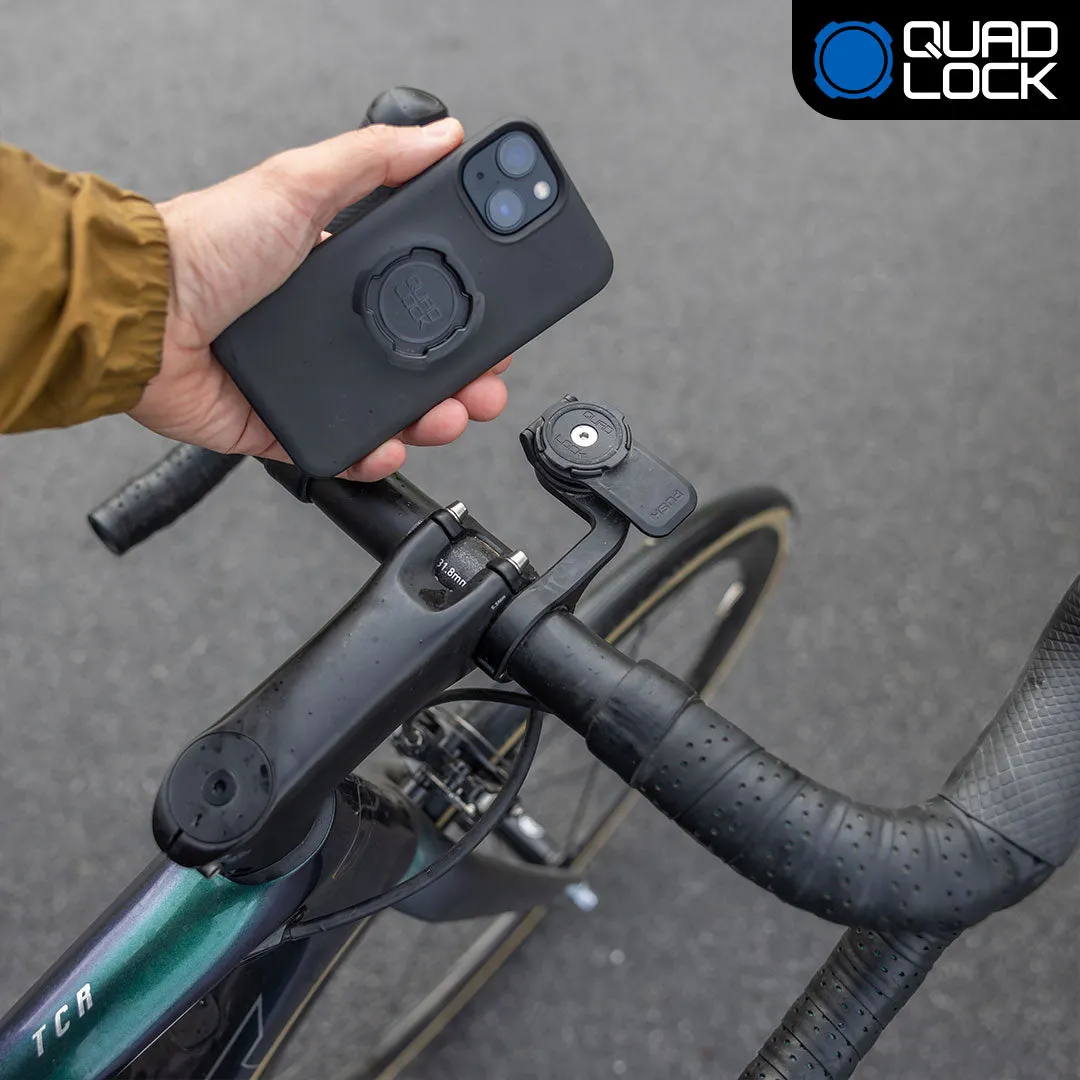
- Quad Lock: push and twist. Hold the phone at an angle, press it onto the mount and turn it until the two-stage lock catches. To take it off, release the lock and turn the phone back.
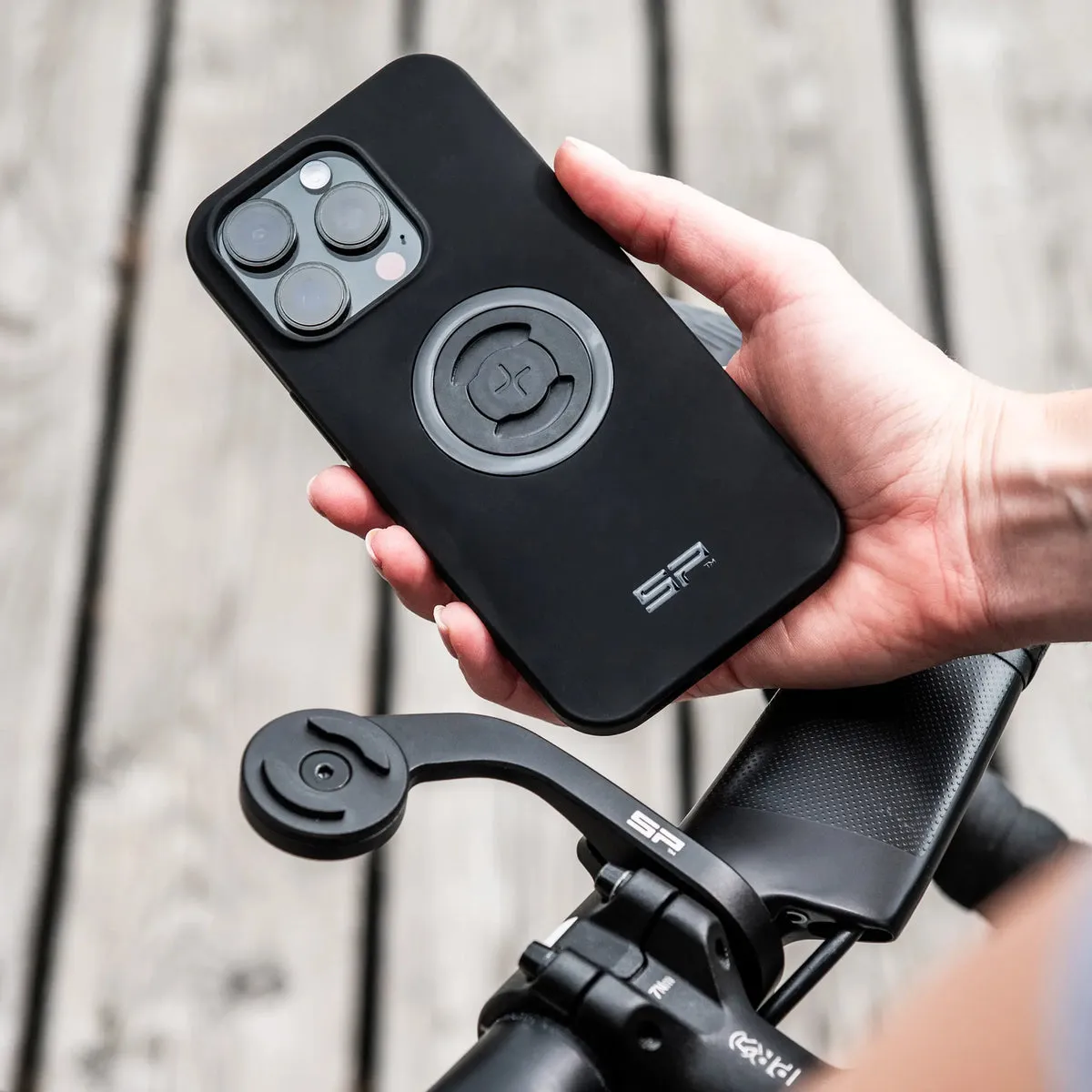
- SP Connect: line up and twist. Line the case up with the mount and turn it 90 degrees to lock.
A twist lock needs the phone lined up at an angle and turned into place. A drop-on lock goes on in one motion, without turning anything, which is easier on the move, with gloves on, or when the mount sits tight under the bars.
Where the Phone Sits
Keep the phone low and close to the bars. Every bump pushes on the phone through the mount, and the farther the phone sits from the clamp, the more leverage that bump has: the phone bounces more, the screen is harder to read, and the mount works loose sooner. Low and close also tucks the phone into an aero position behind your hands.
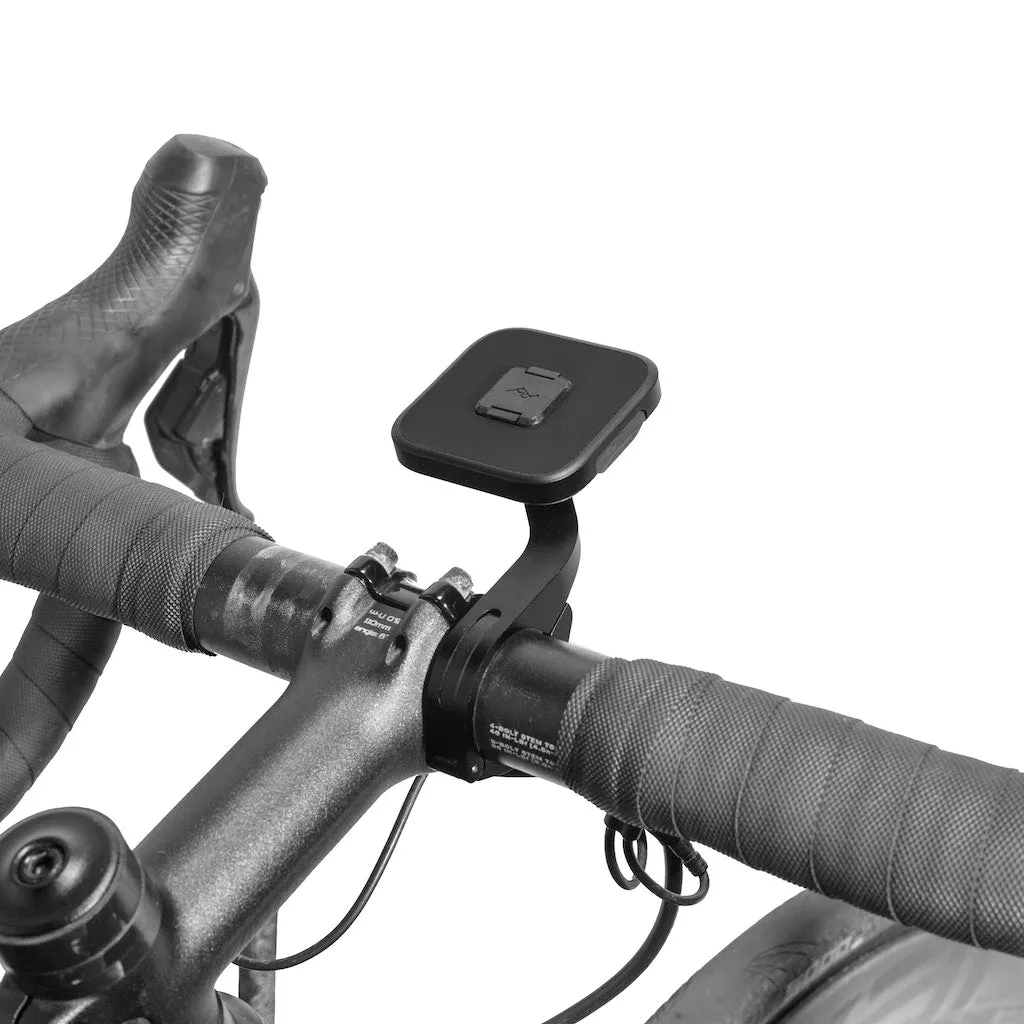
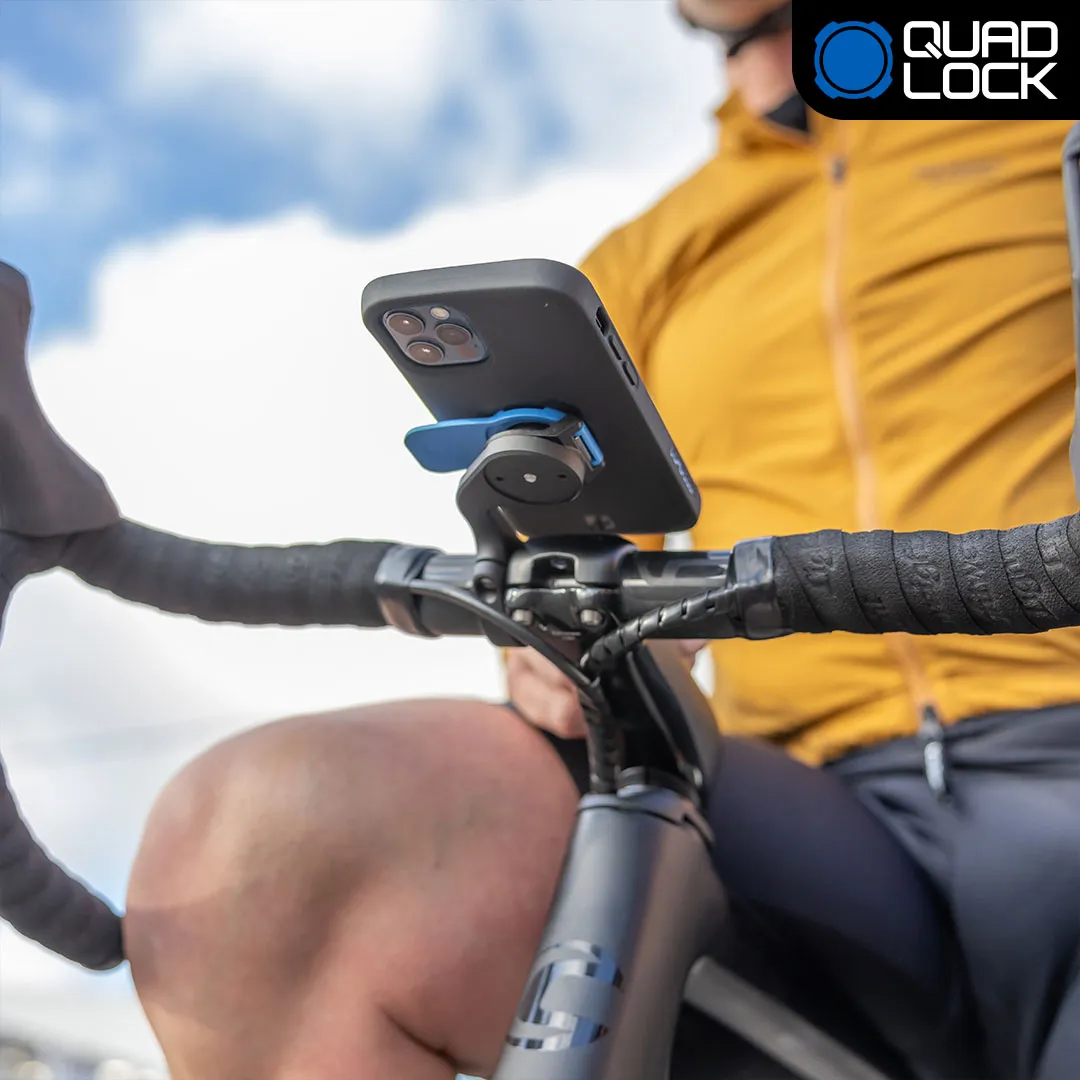
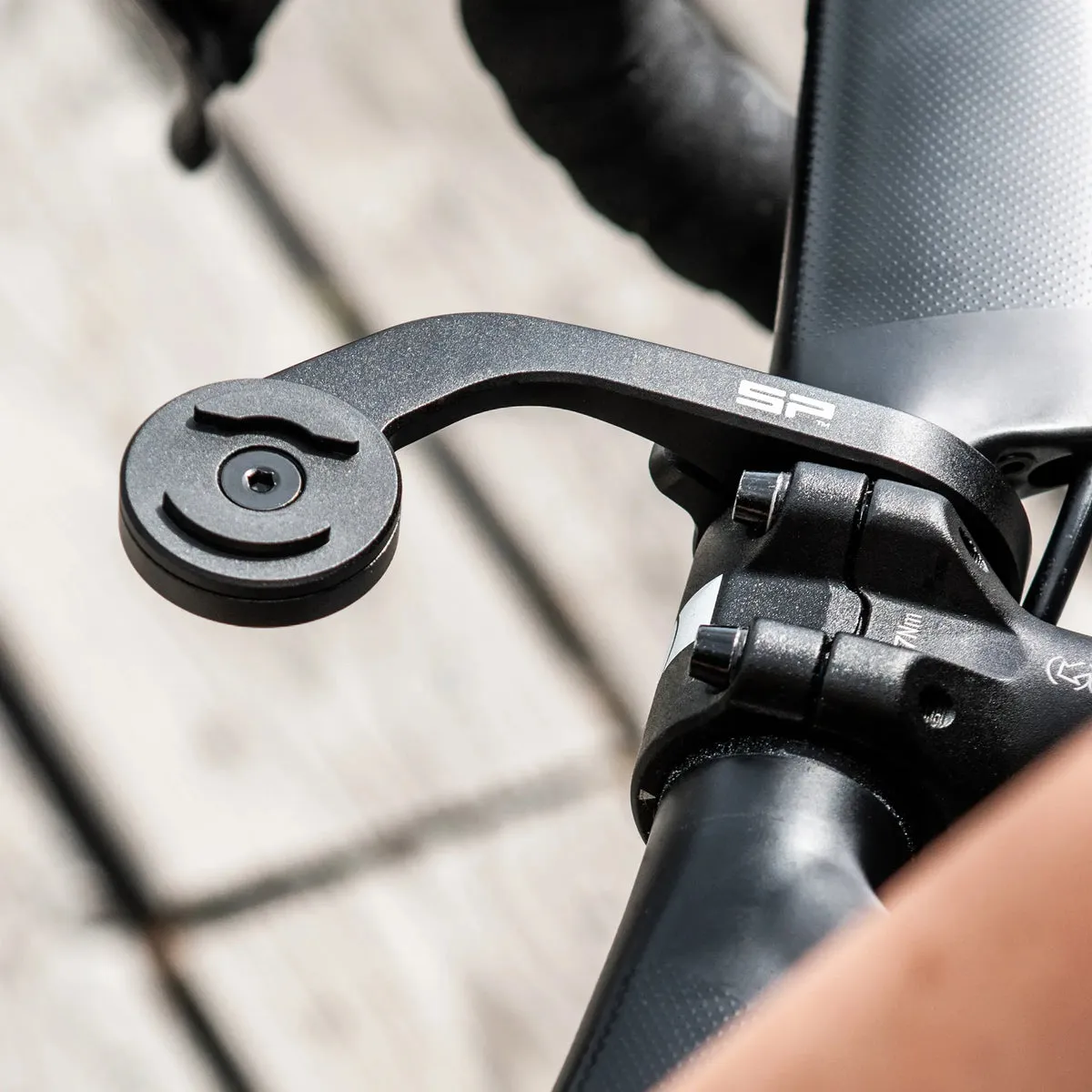
- Out front: the phone sits ahead of the bars, where a Garmin or Wahoo would go, so a glance down reads it. Peak Design's out-front mount can also be set to sit below or behind the bars, tucking the phone in close. Quad Lock's PRO out-front mount and SP Connect's Road Bike Mount Pro are low-profile; Quad Lock's standard out-front mount sits slightly higher. Peak Design's and Quad Lock's out-front clamps fit round bars only.
- On the stem: a stem or top-cap mount (Quad Lock's Stem Cap Mount, SP Connect's Stem Mount Pro) puts the phone over the stem, closer to you. The choice for aero bars that an out-front clamp does not fit.
- Strap-on: Peak Design's Universal Bar Mount holds with a silicone band and fits almost any bar, stem or frame, with its head 2.2 cm above the bar. Quad Lock's Handlebar/Stem Mount fits bars from 25 to 40 mm. Both move easily between bikes.
- Avoid: cradles that grip the phone by its edges or with rubber bands, and long arms that hold the phone far out. A pothole can shake a phone out of a cradle.
Weight
Count the mount and the case: both ride with you. These are the makers' own figures. SP Connect does not publish weights for its mounts or cases.
| System | Mount | Case | Together |
|---|---|---|---|
| Peak Design Out Front Bike Mount (aluminum) + SlimLink Case | 87 to 93 g | about 40 g | about 130 g |
| Peak Design Universal Bar Mount + SlimLink Case | 78 g | about 40 g | about 118 g |
| Quad Lock Out Front Mount PRO (aluminum) + MAG case | 68 g | 45 to 61 g | 113 to 129 g |
| Quad Lock Out Front Mount (nylon) + MAG case | 44 g | 45 to 61 g | 89 to 105 g |
| Quad Lock Stem Cap Mount + MAG case | 37 g | 45 to 61 g | 82 to 98 g |
Peak Design's aluminum out-front mount is the heaviest mount here and its case is the lightest, so the system ends up close to Quad Lock's aluminum PRO. Quad Lock's nylon out-front mount weighs half as much as Peak Design's, which makes Quad Lock the lightest system. Case weights vary with the phone model. A stick-on adapter for your own case weighs 6 to 20 g (Quad Lock) or 13 g (Peak Design).
The Case and Heat
A phone on the bars runs its screen, GPS and Bluetooth for hours. While you ride, the air flowing over it carries that heat away, so a phone in a slim case stays cool even on a sunny day. A case or pouch that encloses the phone, front and back, blocks that airflow and traps the heat: the phone heats up, dims its screen to protect itself and drains the battery faster. So:
- Use a slim case with an open front. The system's own case is the simplest: Peak Design's SlimLink Case, Quad Lock's MAG case or SP Connect's SPC+ case.
- Avoid full-cover cases and waterproof pouches for riding. iPhones are water resistant on their own. If you use a rain cover, take it off when the rain stops.
- Keeping your own case? Fit the maker's stick-on adapter to it: Peak Design's Universal Adapter, Quad Lock's Universal Adaptor or SP Connect's Universal Interface. Peak Design advises against its adapter on soft silicone or leather cases, or directly on the phone, and says wireless charging may not work with it fitted.
When you stop, the airflow stops too. A phone left on the bars in direct sun at a café stop warms up quickly. Take it with you, or turn the bike so the phone is in the shade.
Heat also costs battery: a hot phone uses more per hour. See which iPhone uses the least battery. For a ride longer than the battery, a small USB-C battery pack in a top-tube bag does it. See Battery Life.
Vibration and the iPhone Camera
Apple's support note on vibration says high-power motorcycle engines "generate intense high-amplitude vibrations" that can damage the camera's image stabilization and autofocus, and that attaching an iPhone to those motorcycles is not recommended. For mopeds and scooters with small or electric engines, it recommends a vibration dampening mount. It says nothing about bicycles.
Quad Lock goes further: "As bicycles are not subjected to the same high-frequency vibrations that are experienced on motorcycles, we do not recommend installing a Vibration Dampener on your bicycle mount." SP Connect sells a bicycle Anti Vibration Module for gravel rides, mountain bike trails and rough terrain. Peak Design has no dampener for bikes.
Read Apple's own article: Exposure to vibrations, like those generated by high-powered motorcycle engines, might impact iPhone cameras (support.apple.com).
In short: on a road bike you do not need a dampener, and a phone mounted low and close shakes less in the first place. See Will a Bike Mount Damage My iPhone Camera? If most of your riding is rough gravel or trails, SP Connect's bicycle module is the one made for it.
Portrait or Landscape
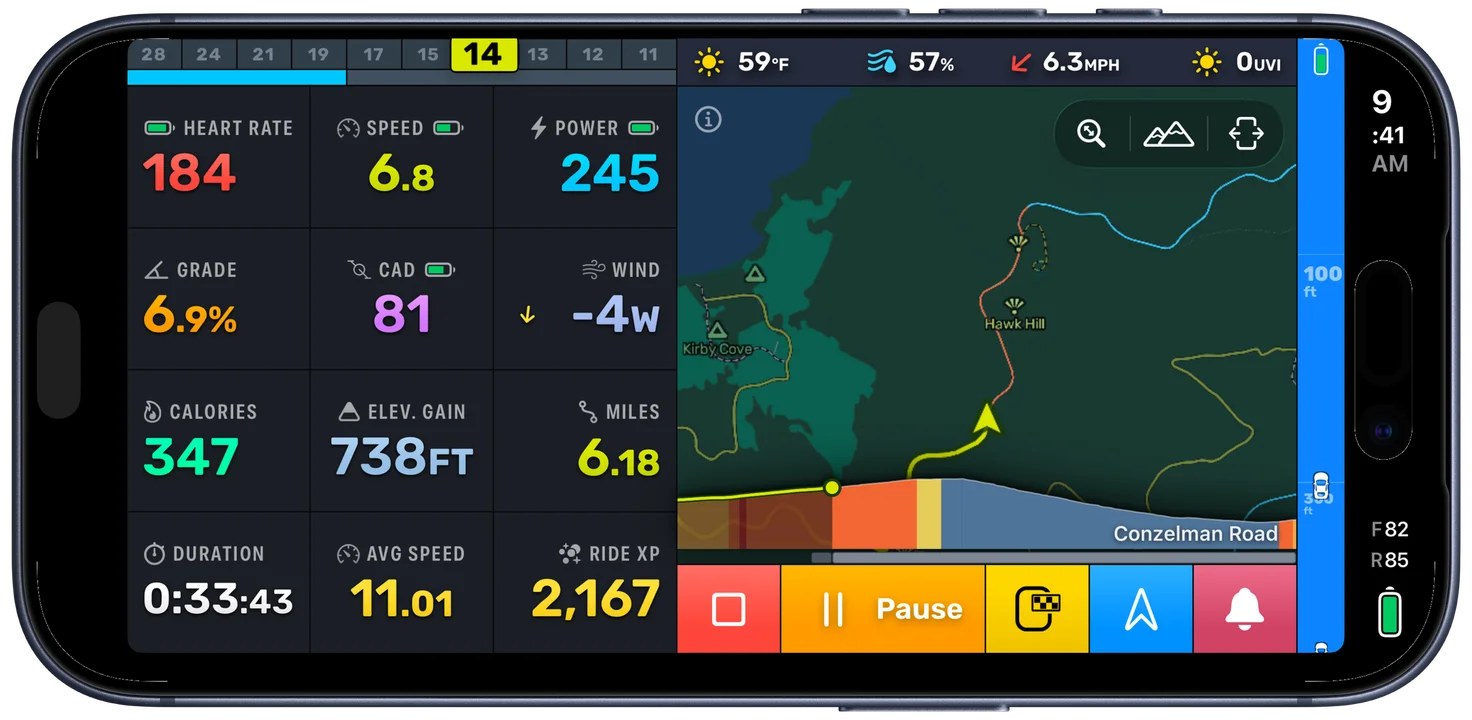
Bike IQ's ride screen works both ways. In portrait your metrics sit above the map. In landscape they sit to the left of it, and the map gets the full height of the screen. To turn the screen, tap the phone icon on the ride screen, or say "Switch to landscape in Bike IQ". Bike IQ stays the way you leave it.
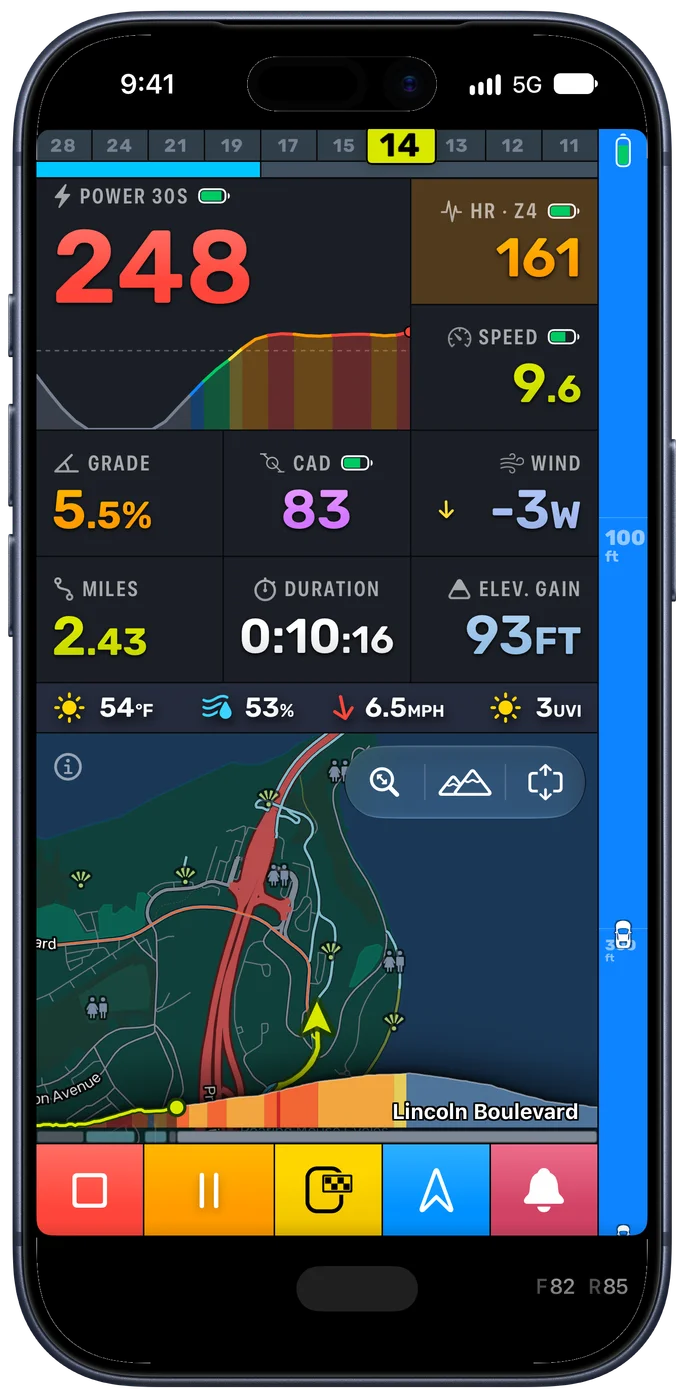
On the mount side: Quad Lock's lock holds the phone in portrait or landscape. SP Connect's Pro mounts are set to portrait or landscape when you install them. Peak Design's Universal Bar Mount turns between the two without taking the phone off.
The Three Side by Side
| Peak Design | Quad Lock | SP Connect | |
|---|---|---|---|
| On and off | Drop on, no twist; one button off | Push and twist | Line up and twist 90 degrees |
| Where the phone sits | Out front, or set below or behind the bars | Out front (PRO is low-profile), stem cap or strap-on | Out front (low-profile Road Pro), stem or handlebar |
| Out-front mount weight | 87 to 93 g (aluminum) | 44 g (nylon), 68 g (aluminum PRO) | Not published |
| Case weight | About 40 g | 45 to 61 g (MAG) | Not published |
| Your own case | Universal Adapter | Universal Adaptor | Universal Interface |
| Bicycle dampener | None | Not recommended on a bicycle | Anti Vibration Module, for gravel and trails |
| Price: mount, case | $50 to $70, $50 | $30 to $60, $40 to $50 | $15 to $55, $45 |
Prices are list prices in US dollars in November 2026, before sales.
What We Ride, and Why
We ride with a Peak Design out-front mount. The phone drops on and lifts off with one hand and no twist, and the mount holds it low and close to the bars, so bumps have little leverage on it and it sits tucked behind our hands. The cost is weight: its aluminum mount is the heaviest here, though the light case brings the whole system close to a Quad Lock PRO.
If you count grams, Quad Lock's nylon out-front mount is the lightest secure system. If most of your riding is rough gravel or trails and you want a dampener, SP Connect is the one that makes one for bicycles.
Questions
Will a bike mount damage my iPhone camera?
Apple has not warned about bicycles. Its warning about vibration and the iPhone camera is about high-power motorcycle engines, and it recommends a dampening mount for mopeds and scooters. Quad Lock says bicycles are not subjected to the same high-frequency vibrations and does not recommend its dampener on a bicycle mount.
Quad Lock or Peak Design?
Both lock the phone securely. Peak Design goes on and comes off with one hand and no twist, and its out-front mount can hold the phone low, below or behind the bars, which is why we ride it. Quad Lock locks with a twist, and its standard out-front mount is much lighter (44 g against about 90 g), so it suits riders who count grams.
Do I need a vibration dampener on a bicycle?
Not on a road bike. Quad Lock does not recommend one for bicycles. SP Connect sells a bicycle Anti Vibration Module for gravel, mountain bike trails and rough terrain, so it is worth considering if most of your riding is off road. Mounting the phone low and close to the bars also takes much of the shaking out.
Can I use a waterproof or full-cover case?
We advise against it for riding. While you ride, the air flowing over the phone keeps it cool. A case or pouch that encloses it front and back blocks that airflow, so the phone heats up, dims its screen and drains faster. A slim case with an open front is best. iPhones are water resistant on their own.
Can I keep my own phone case?
Usually, with a stick-on adapter: Peak Design's Universal Adapter, Quad Lock's Universal Adaptor or SP Connect's Universal Interface. Peak Design advises against sticking its adapter to the phone itself or to a soft silicone or leather case.
Does Bike IQ work with the phone in landscape?
Yes. The ride screen works in portrait and landscape. In landscape your metrics sit on the left and the map on the right. Turn it with the phone icon on the ride screen, or say "Switch to landscape in Bike IQ".
Product details and weights are from each maker's own website, checked in November 2026. Makers change their mounts and cases with new iPhones, so check the case for your exact model before you buy.