Why Does My Apple Watch Heart Rate Stop During a Ride?
When Apple Watch heart rate stops for a few minutes on a ride, the Watch has lost a good reading through your skin, most often after a stop or on a cold day. The Watch does not save a heart rate it cannot trust, so no app gets one for that stretch.
A snugger band and a warm wrist usually fix it. For winter rides, use a Bluetooth chest strap in Bike IQ with your Watch as the backup.
What You See in Bike IQ
When no new heart rate has arrived for 30 seconds, the number comes off the heart rate tile and a faded placeholder takes its place. The tile's title shows how long ago the last reading was, for example HR (5m). Your ride, its route, speed, power and everything else keep recording.
Heart rate comes back on its own as soon as the Watch reads you again. If the Watch's workout itself stops sending, Bike IQ restarts it. You do not need to stop the ride or open anything on your wrist.
If several restarts do not bring it back, the ride screen shows Apple Watch HR Unavailable. Make sure the Watch is on, unlocked and nearby, then tap Try Again.
You will usually find the same gap in the Apple Health app for that stretch, which shows it came from the Watch, not from the app you were riding with.
Why the Watch Loses Your Heart Rate
Apple Watch measures heart rate with light, through the blood flowing under the skin of your wrist. When it cannot get a reading it trusts, it saves nothing until it gets a good one. On a bike, these are the usual reasons, all from Apple's own guidance:
- Cold. In the cold, less blood flows through the skin of your wrist, and Apple says it can be too little for the sensor to get a reading. Riders notice it most after a long stop on a cold day, when the wrist has cooled down.
- A loose band. If the band is loose, the back of the Watch lifts off your skin as you ride and the sensor loses contact.
- Where it sits. The sensor works best above the wrist bone, towards your elbow. On the bone, the back of the Watch touches less of your skin.
- Tattoos. Some tattoos, on the spot under the Watch, make the sensor's job harder.
How to Fix It
- Tighten the band for the ride. Apple suggests a band a little tighter for workouts, loosened again when you are done. Snug, not uncomfortable.
- Wear it above the wrist bone, towards your elbow, on the top of your wrist.
- Check the fit. Shake your wrist, then turn your palm face up. If the back of the Watch came away from your skin, tighten the band a notch.
- Keep your wrist warm in the cold. A long sleeve or a glove cuff over the Watch keeps the skin under it from cooling, above all during a long stop.
- Use a chest strap for winter rides. Apple itself points to a Bluetooth chest strap when the Watch cannot get a reading. A chest strap reads your heart directly, so cold wrists do not affect it.
Chest Strap and Apple Watch Together in Bike IQ
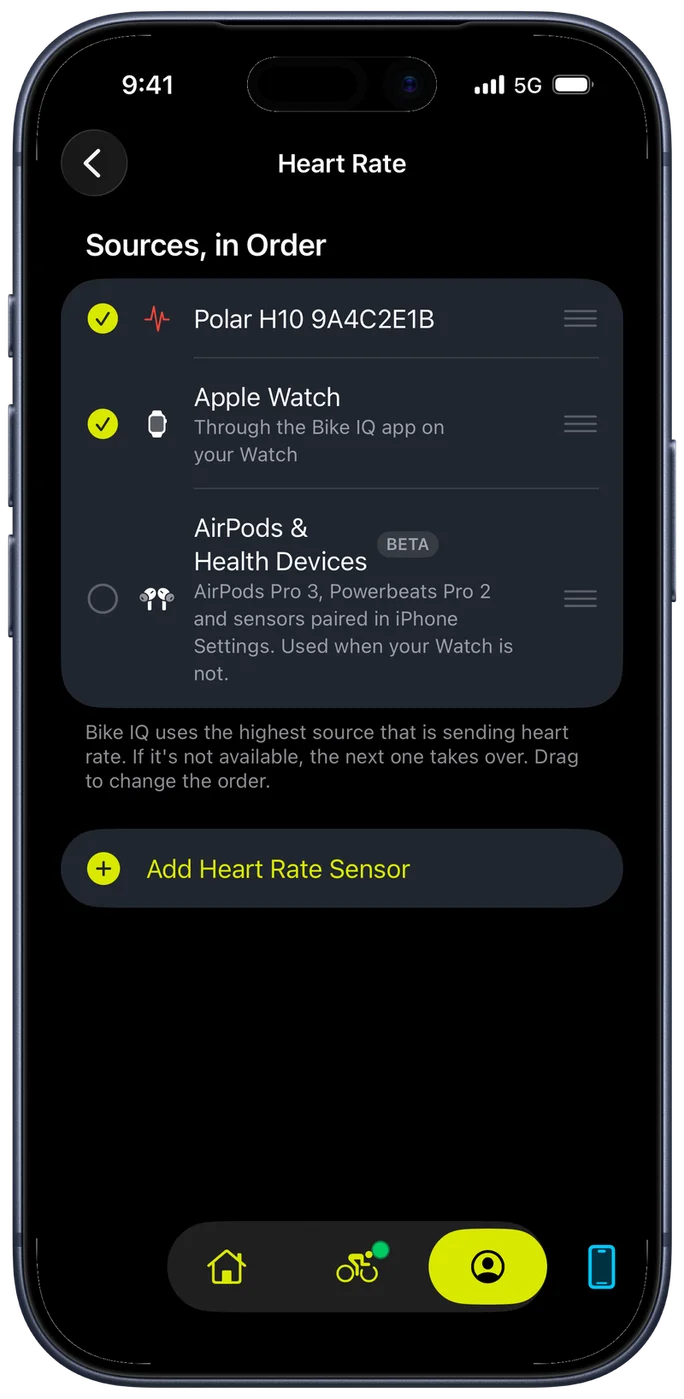
Pair the strap in Bike IQ and it goes on your Heart Rate list ahead of Apple Watch. Bike IQ then uses the strap and keeps the Watch ready as a backup: if the strap stops sending, the Watch takes over straight away, and the strap takes back over when it returns.
Heart rate straps work on the free version of Bike IQ.
To set it up, open the Settings tab, tap Heart Rate under Sensors & Devices, then Add Heart Rate Sensor. Wet the strap's electrodes before you put it on, so it reads from the first minute. Bluetooth Sensor Pairing has the details.
Related Guides
- Apple Watch: how the Bike IQ Watch app works during a ride
- Heart Rate Monitoring: Apple Watch, chest straps and AirPods, and choosing the order
- Troubleshooting: heart rate that does not appear at all