Free and Pro
Bike IQ is free to download and ride, with no ads and no account. Recording, the live ride screen, sensors, radar and your ride report are all free, with no limit on how far or how long you ride.
Bike IQ Pro adds routes, turn-by-turn navigation, the road ahead, Smart Pages on the ride screen and shifter controls. It is a yearly or monthly subscription, or Lifetime, paid once.
What Is Free
| Feature | What you get |
|---|---|
| Ride recording and the live ride screen | Speed, distance, elevation, heart rate, cadence and power beside the live map, in portrait or landscape |
| Building and previewing Smart Pages | Lay out your own ride screens and preview them; showing them on a ride needs Pro |
| Power, cadence, gear and grade with no sensors | Estimated by Bike IQ from your iPhone, with no sensor to pair |
| Wind impact | Headwind and tailwind, in watts |
| Cycling maps that work offline | The live map on every ride |
| Bluetooth sensors | Power meters, heart rate monitors, speed and cadence sensors |
| Radar | Every supported radar, with audio alerts |
| Tire pressure sensors | Live pressure and low-pressure alerts |
| Shimano Di2 and SRAM AXS | Live gear position and battery levels |
| Apple Watch heart rate | Through the Bike IQ Watch app |
| Ride report | Power curve, heart rate zones, gear usage and elevation |
| Strava and Apple Health | Published when you save a ride |
| Live Activity, voice control and the bike bell | Ride data on the Lock Screen, Siri and Shortcuts commands, and a palm-gesture bell |
Every sensor Bike IQ supports works on the free version, radar included. See Compatible Sensors for the full list.
What Pro Adds
| Feature | What you get |
|---|---|
| Smart Pages | Your own ride screens, with the metrics and sizes you choose, and pages that come up on their own on a climb, into a headwind or at a stop |
| Route builder | Plan routes with waypoints and a live elevation profile |
| Route import | GPX files, Strava routes and Ride with GPS |
| Route library | Browse, search, favorite, edit, duplicate, export as GPX and delete saved routes |
| Turn-by-turn navigation | Voice directions and rerouting, with offline routing on routes saved for offline and in areas you have ridden |
| The road ahead and climb detection | The elevation of the road ahead, and climbs flagged before you reach them, with or without a route, plus the Climb and Descent map modes |
| Shifter buttons as controls | Map SRAM AXS and Shimano Di2 buttons to ring the bell, mark a lap, pause or resume, toggle the map, turn to the next Smart Page, change the map zoom, mute the radar or run a Shortcut |
Getting Pro
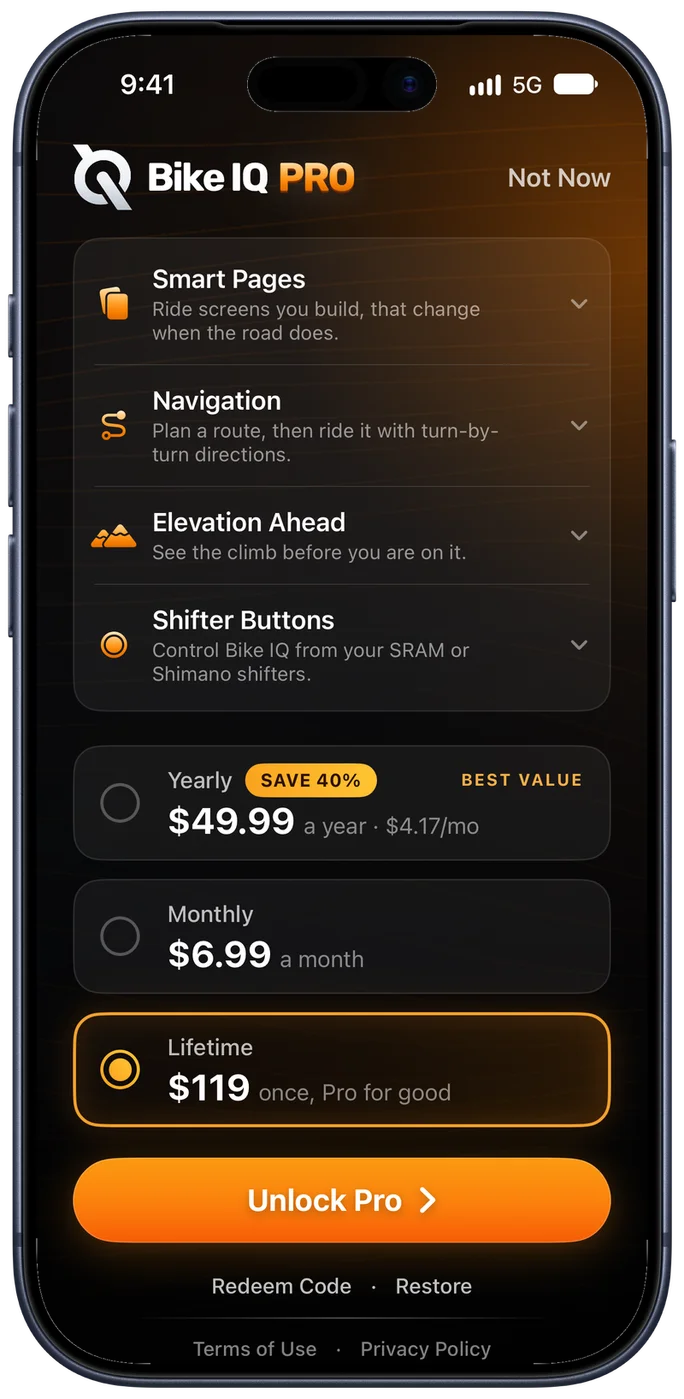
Tap Unlock Bike IQ PRO near the top of the Settings tab, or tap any Pro feature such as Routes, and the Pro screen shows three plans. Pick one and tap Unlock Pro. Prices come from the App Store in your local currency.
- Yearly: a subscription renewed each year. It is usually the one marked Best Value, with what it works out to per month beside its price.
- Monthly: a subscription renewed each month.
- Lifetime: paid once, and Pro is yours for good. Nothing renews and there is nothing to cancel. While Lifetime is on sale, it is the plan marked Best Value and the Pro screen opens on it.
Subscriptions are managed by Apple. To change or cancel one, open the Settings app on your iPhone, tap your name, then tap Subscriptions.
If you already have Pro with the same Apple Account on another iPhone, a subscription or Lifetime, tap Restore on the Pro screen. To use a code, tap Redeem Code beside it.
Pro features are marked with this badge throughout the docs, so you can tell at a glance which guides need Bike IQ Pro.
Related Guides
- Navigation and Routes: route planning, turn-by-turn directions and offline routing
- The Road Ahead: the elevation of the road ahead and climb detection
- Compatible Sensors: every sensor type Bike IQ works with
- FAQ: battery, accuracy, offline use and more