Xiaomi Smart Band heart rate on iPhone
Your Xiaomi Smart Band as your heart rate sensor
Yes. Turn on Share HR on your Xiaomi Smart Band and Bike IQ on iPhone reads it like a chest strap. Your heart rate is on the ride screen, colored by zone, and the ride report shows your time in each zone. It's free.
Works with Xiaomi bands that offer Share HR in their settings, such as the Smart Band 10 and Smart Band 9 Pro.

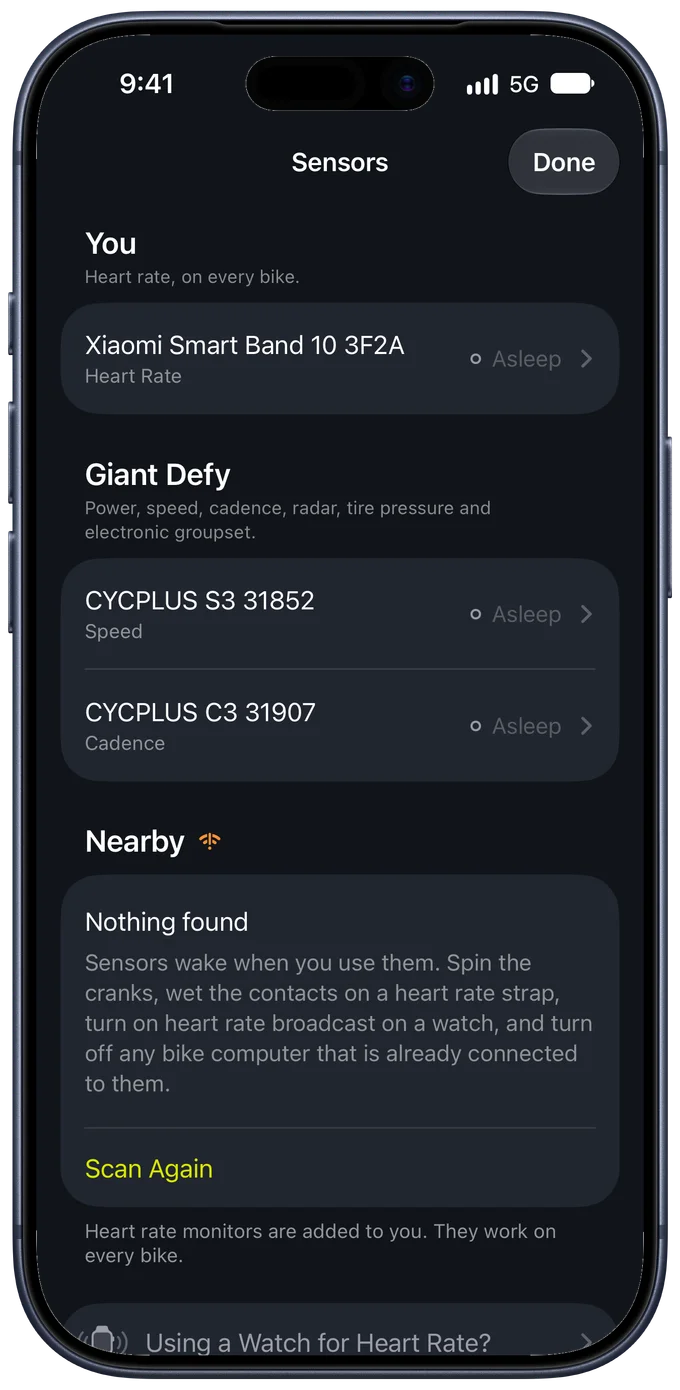
How to pair your Xiaomi Smart Band
- On the band, open the app list, then Settings, and turn on Share HR.
- In Bike IQ, open the Settings tab and tap Connect Bluetooth Sensors under Sensors & Devices.
- It shows under Nearby by its model, such as Xiaomi Smart Band 10 and a short code. Tap it.
- Bike IQ adds it to you, not to a bike, so it works on every bike you ride. From then on it connects by itself when you pick a bike or start a ride.
The same steps are in Bike IQ: tap Using a Watch for Heart Rate? at the bottom of the Sensors screen. Many bands switch sharing off again, so check it before each ride.
On your ride screen
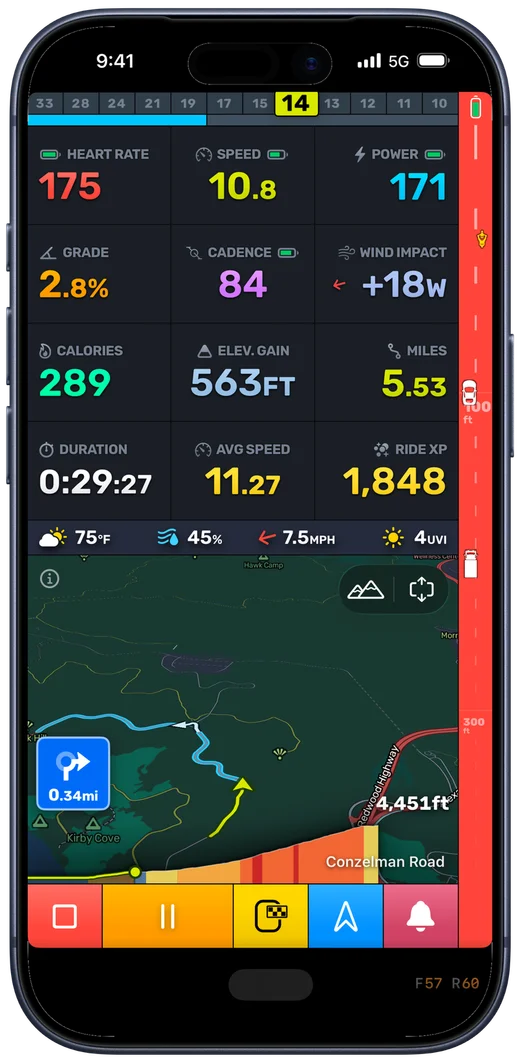
Drawn as Bike IQ draws them, with sample numbers. Free tiles are on the ride screen everyone gets. Pro tiles go on pages you build.
As you ride
Your heart rate sits on the ride screen beside your speed, power, cadence and the map, colored by the zone you are in.
Wearing a chest strap on some rides? Put both on the Heart Rate list in Settings, in the order you want. Bike IQ uses the highest one that is sending, and the next takes over if it stops.
With Bike IQ Pro you build your own ride pages, with tiles like HR Zone, Avg HR, Max HR, lap heart rate and a heart rate graph. See Smart Pages.
After the ride
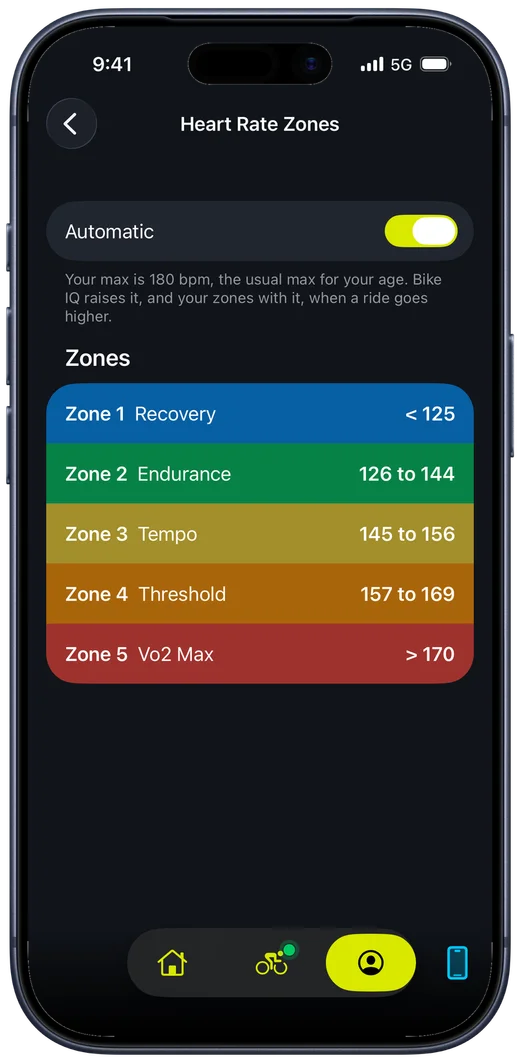
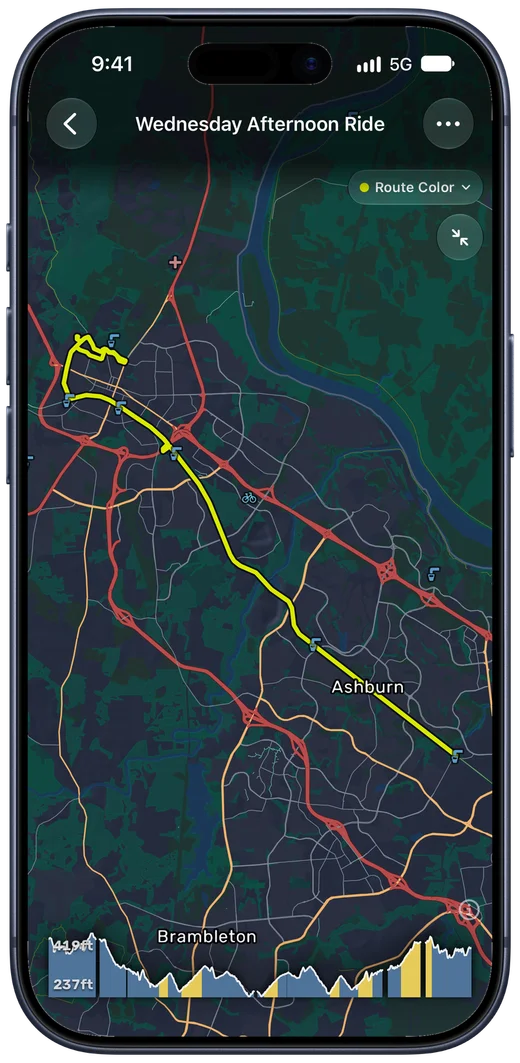
The ride report shows your average and maximum heart rate over the ride, the time you spent in each of five zones, your heart rate for every lap, and your route on the map colored by heart rate.
Your zones follow your maximum heart rate, which Bike IQ finds from your own rides. When a ride goes higher, Ride Complete tells you and your zones move up with it. See Heart Rate Monitoring.
Pairing, live heart rate, zones and the whole ride report are free, with no ads. Building your own ride pages with more heart rate tiles is part of Bike IQ Pro.
New to Bike IQ?
Bike IQ turns your iPhone into a bike computer: your sensors' numbers above the map, climbs ahead, radar, and a report after every ride. Free, with no ads and no account. Getting started.
Xiaomi Smart Band questions
Can I use a Xiaomi Smart Band as a heart rate monitor on iPhone?
Yes. Turn on Share HR in the band's settings, then pair it in Bike IQ from the Settings tab. It shows up under Nearby like a chest strap.
My band does not show up. Why?
Check that Share HR is still on, then tap Scan Again. Many bands switch sharing off again after a while.
Is a band as good as a chest strap for cycling?
On rough roads or with a tight grip on the bars, a wrist sensor can read less steadily than a chest strap. Many riders keep both on the Heart Rate list, strap first, so the band takes over if the strap stops.
Does Bike IQ read HRV from a Xiaomi band?
No. Bike IQ reads your heart rate in beats per minute. It does not read the beat-to-beat intervals used for HRV.
Is it free?
Yes. Pairing, live heart rate, zones and the ride report are free, with no ads. Bike IQ Pro adds your own ride pages with more heart rate tiles.
Every sensor works on the free version of Bike IQ.
More sensors that work with Bike IQ
- Polar H10
- Garmin HRM 200, HRM 600, HRM-Pro Plus, HRM-Dual
- COOSPO H808S, H6, H9Z and BK9
- Garmin watch heart rate (Forerunner, fēnix, Venu, vívoactive, Instinct)
- WHOOP
- Polar H9, Verity Sense and OH1
- COROS Heart Rate Monitor
- Huawei watch and band heart rate
- Amazfit Helio Strap and Amazfit watches
- Google Fitbit Air
- Bryton Smart Heart Rate Monitor, Speed and Cadence Sensors
- Garmin Speed Sensor 2 and Cadence Sensor 2
- Favero Assioma
- Wahoo TICKR, TRACKR and RPM
- CYCPLUS S3 and C3
- Garmin Varia RearVue 820
- Garmin Varia RTL515, RTL516 and RCT715
- Quarq power meters
- Stages power meters
- Garmin Rally
- Specialized Turbo e-bikes (Levo, Kenevo, Vado, Como, Creo)
- TQ HPR40, HPR50 and HPR60 e-bike motors
- COOSPO TR70
- Magene P715 and PES P515 power meters
- Mahle X20, X30, X35 and M40 e-bike drives
- BESV e-bikes
- iGPSPORT SR mini and SR30
- CYCPLUS L7
- XOSS ARENA speed and cadence sensor
- iGPSPORT CAD70 and SPD70
- Power meters and heart rate
- Every compatible sensor