Garmin Varia RearVue 820: Full Support in Bike IQ
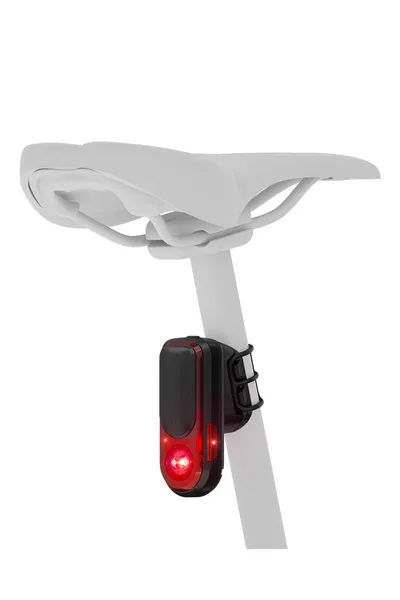
The Garmin Varia RearVue 820 is the most capable cycling radar on the market. It broadcasts enhanced data that most apps ignore. Bike IQ doesn't.
What makes the RearVue 820 different
Standard Varia radars tell you a vehicle is approaching and roughly how far away it is. The RearVue 820 goes further. It broadcasts vehicle classification (car, truck, or motorcycle), lateral bearing (how far to the side the vehicle is), and finer distance resolution.
We built dedicated support for the RearVue 820 so Bike IQ can surface everything the hardware is capable of.
What you see in Bike IQ
When a RearVue 820 is connected, the radar widget switches to an enhanced view:
- Vehicle type icons: Cars, trucks, and motorcycles each have distinct icons and sizes so you can tell what's behind you at a glance.
- Lateral positioning: Vehicles are shown not just by distance but by how far left or right they are. You get a real spatial sense of what's coming.
- Perspective lane: A runway-style view with distance markers and animated dashes that scroll at your riding speed. You can feel how fast vehicles are closing.
- Safe-zone band: A colored band shows your safe zone. Vehicles inside it are color-coded by threat level.
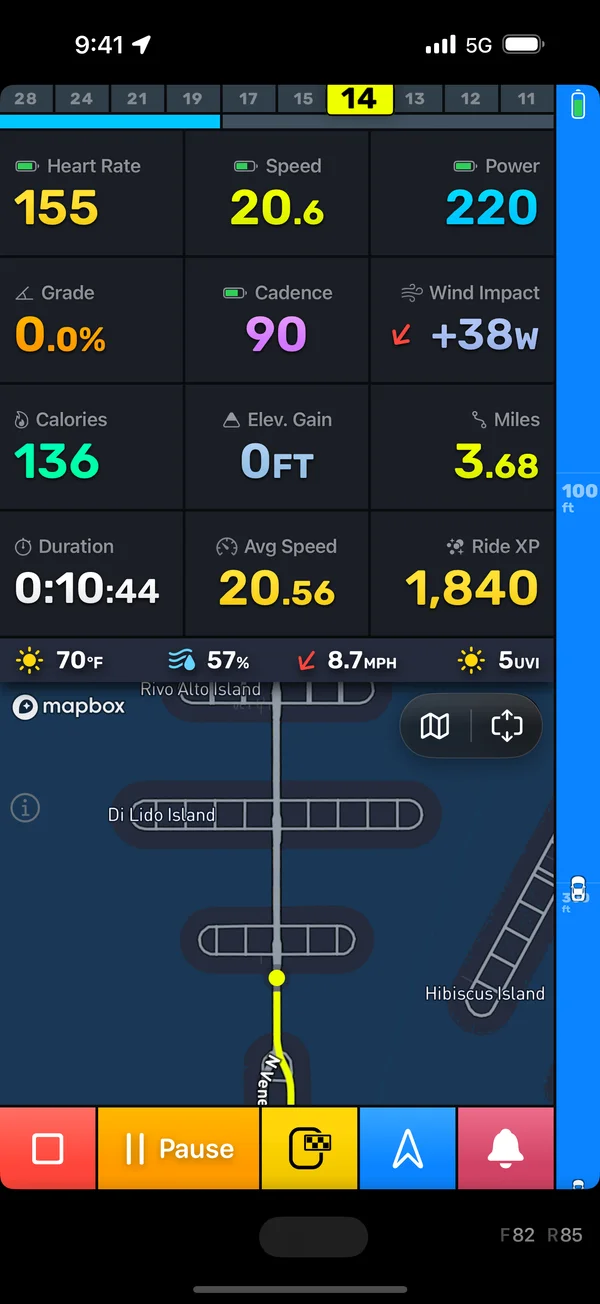
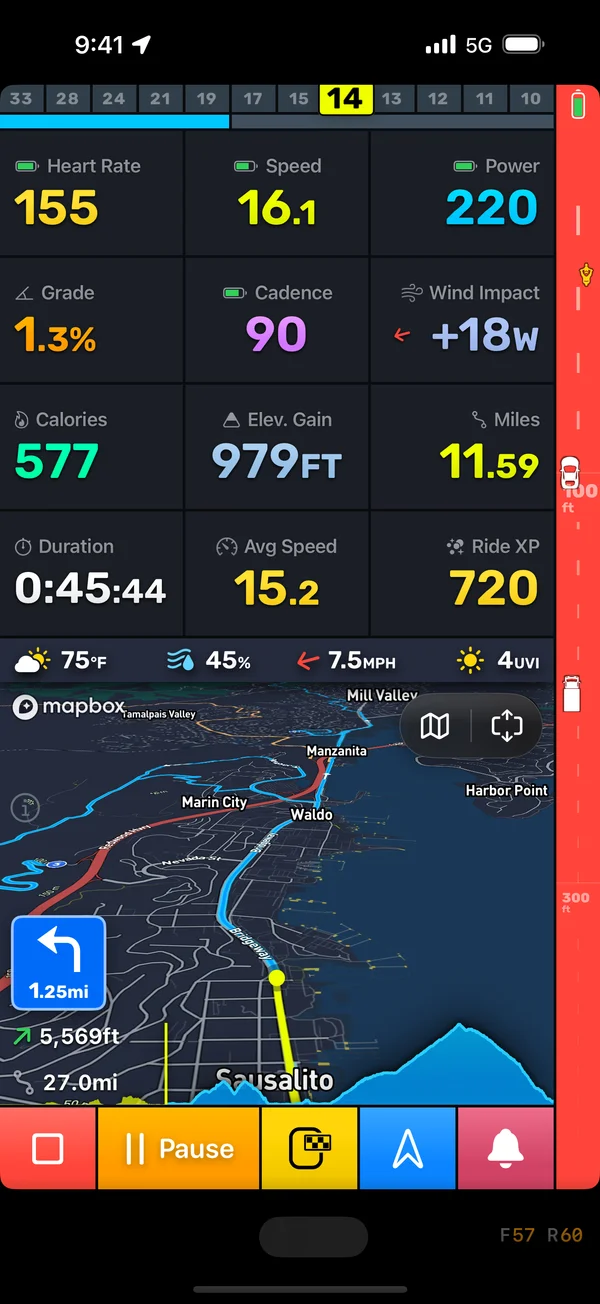
Standard Varia radars still work great. They get the same perspective lane, animated dashes, and audio alerts. The enhanced features activate automatically when the 820 is connected.
Configuration
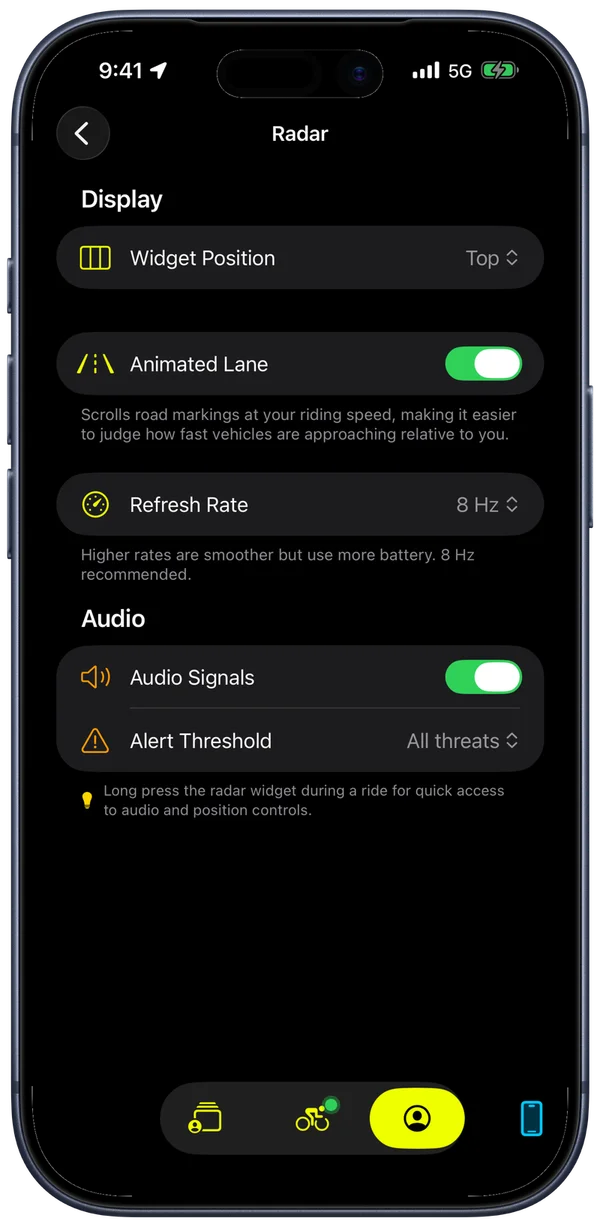
The radar has a dedicated settings screen where you control widget position (top, leading, or trailing edge), animated lane dashes, refresh rate (1 to 30 Hz), and audio alert thresholds.
Audio alerts are edge-triggered on your configured threat level. Set it low for quiet roads where every vehicle matters. Set it high for busy roads where you only want to know about genuinely close approaches. The alert plays once when a vehicle crosses your threshold, not repeatedly as it gets closer.
Long-press the radar widget during a ride to open quick controls without leaving the ride screen.
Get started
Pair your Varia under Bluetooth Sensors. The enhanced view activates automatically for the RearVue 820. Configure the widget under Radar Settings.