Your iPhone Is Now a Bike Bell
Slap the screen with your palm. Your phone rings a bell that pedestrians can actually hear. That's it. No reaching for a lever, no looking down. Just a flat palm on the screen while you ride.
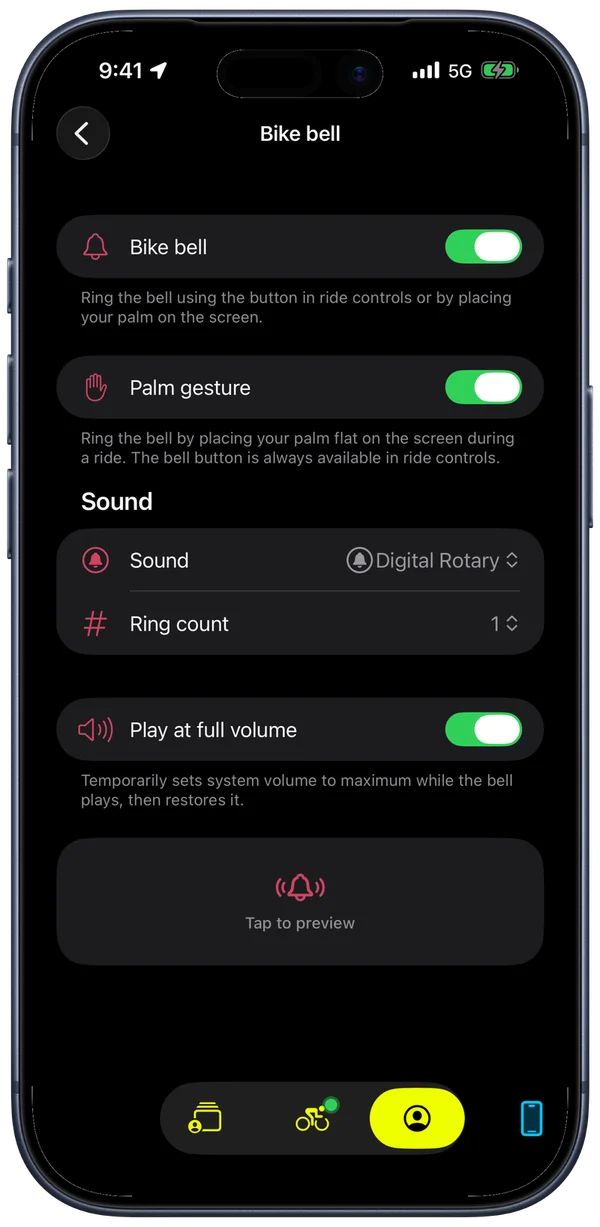
Palm gesture
Bike IQ detects when a broad surface touches the display and distinguishes it from a normal finger tap. You won't accidentally trigger other controls, pause your ride, or open a menu. It works with cycling gloves. A radial glow animation confirms the touch so you know it registered.
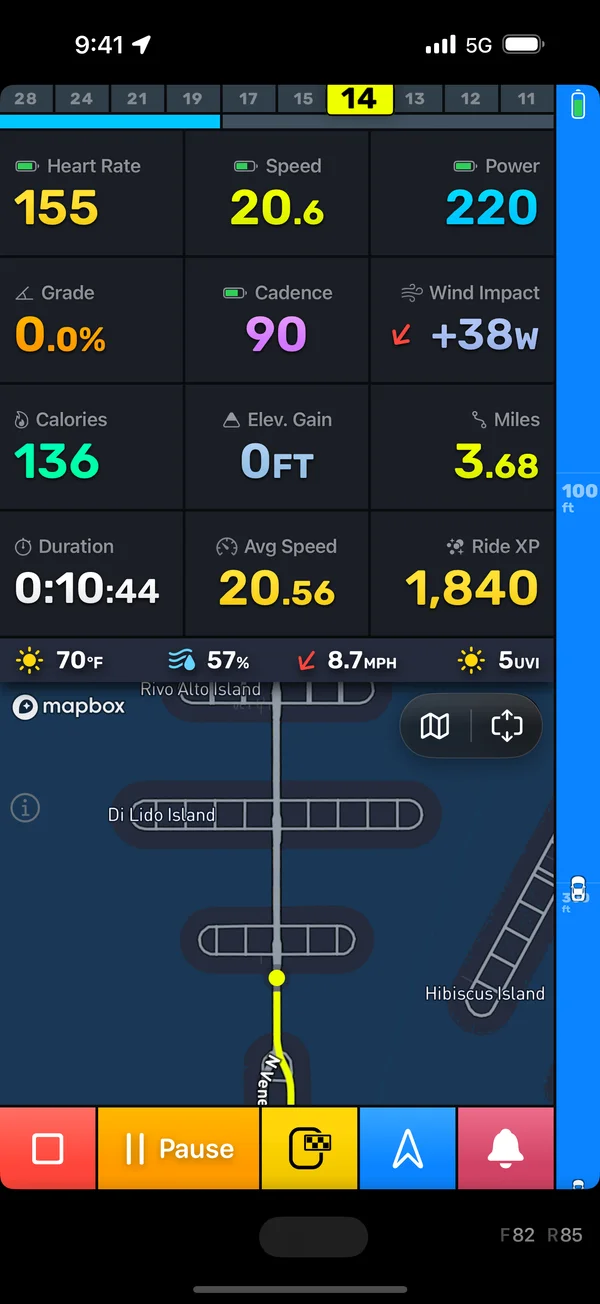
There's also a bell button in the session controls bar for when you want a precise tap instead.
Speaker override
When headphones are connected, the bell temporarily switches audio output to the iPhone's built-in speaker, rings the bell, then switches back to your headphones. There's a brief pause in your music during the switch, but it's a solid workaround that means pedestrians hear a bell from your phone instead of from your earbuds.
Six sounds
Pick the right tone for how you ride:
- Digital Rotary (default): sharp, synthesized rotary bell.
- Classic Rotary: mechanical bell spinning against a striker.
- Classic Bell: traditional bicycle bell ring. Clean and recognizable.
- Alert: short tone that cuts through ambient noise.
- Horn: louder and more assertive. Hold to play.
- Siren: for high-traffic or emergency situations. Hold to play.
Every sound is carefully engineered with AI, optimized for the iPhone speaker's frequency response and tuned for audibility at distance. They cut through outdoor noise in a way that generic alert tones don't.
Ring-based sounds (the first four) let you configure the ring count (1 to 3) and spacing between rings. Horn and Siren are hold-to-play with adjustable duration from 0.5 to 2.0 seconds.
Full volume mode
Enable "Play at full volume" and the app temporarily maxes your system volume while the bell plays, then restores it. Useful on busy streets or mixed-use paths where you need to be heard over traffic noise.
Get started
The bell is enabled by default. Configure your sound and preferences under Bike Bell settings. The palm gesture and button both work during active rides and auto-paused states.